
comicMemoriPhase 1 — FoundationsEpisode 3 of 37
The context window, desk size and boundaries
A model call has a bounded context, but the usable input and output allowances depend on the exact model, service, and application policy.

On this page
In a small office, an intern named Lex works at a desk covered in sticky notes. Each note is a token, a piece of the active input. The desk looks busy, but there is a boundary Lex keeps glancing at: the maximum context supported for this model call.
Lex still stands for the LLM, the AI reading this call's input and writing its response. His desk is the context window, the active workspace for one model call. Tokenization turned Ava's text into the sticky-note pieces Lex counted last time. Those token types can be words, word parts, punctuation, or whitespace, depending on the tokenizer.


Problem: Ava's transcript might not fit within the usable context for this request.
Resolution: The reader sees both the model boundary and the application's responsibility for assembling a request within it.
Section 1: The desk has edges
You might have assumed that the desk is big enough for anything you throw at it. It is not. A text model processes a bounded sequence of tokens for each call. Providers document limits for particular model versions and services, and those limits can change between versions.
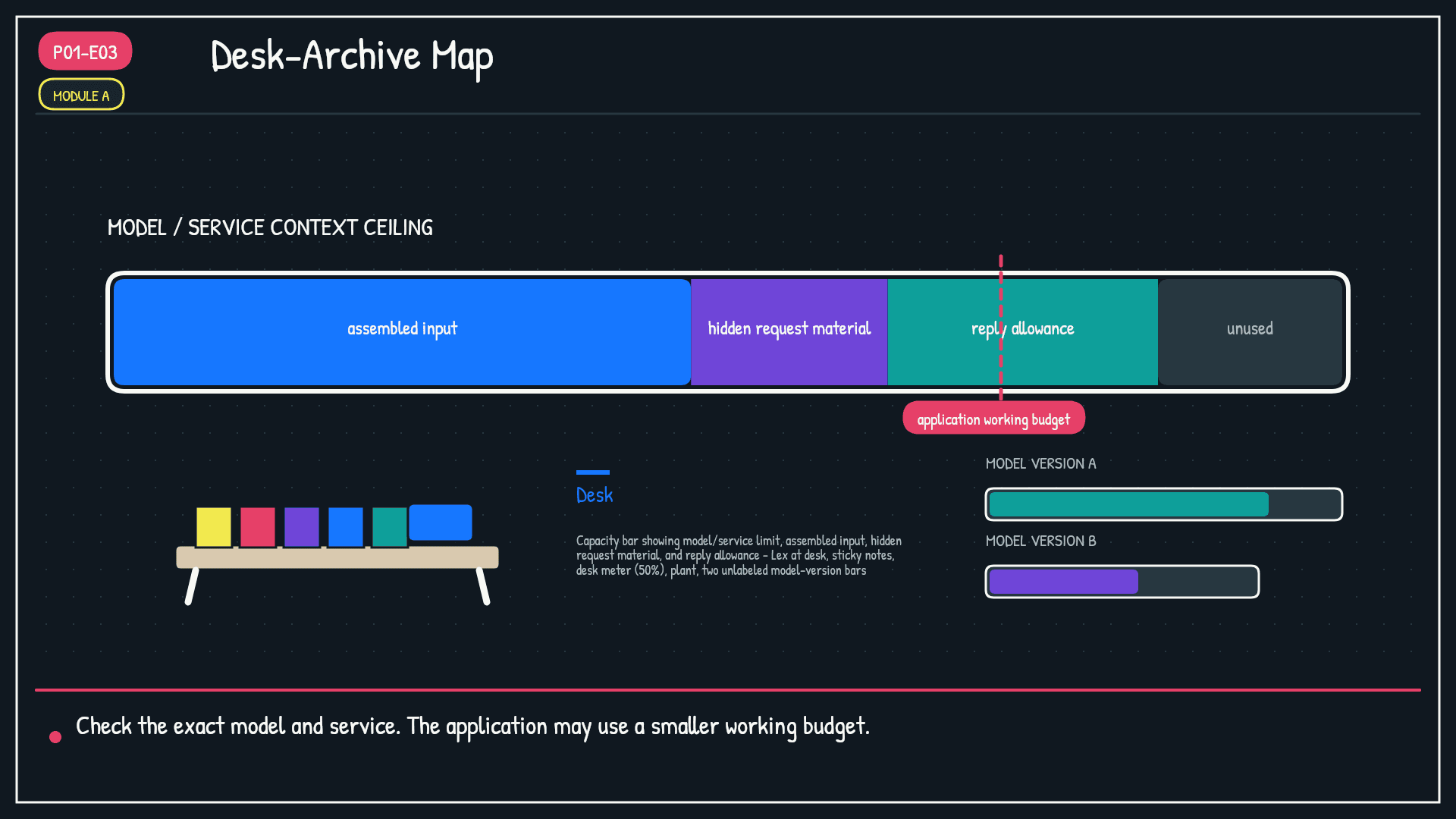
Different models and service tiers can expose different limits. The application may also set a smaller working budget. It needs room for material you may not see in the chat transcript: system instructions, selected history, retrieved passages, tool results, and other request metadata represented as tokens.
The important thing is that there is a real boundary, not that one number applies everywhere. Some interfaces disclose it clearly. Others do not. For an exact limit, identify the model version and service you are using, then check its current documentation. A product can enforce a lower limit than the underlying model supports.
The desk is the active context for one call. It is bounded, but the product decides how to assemble material before the model sees it.
Section 2: Counting the sticky notes
Here is the detail that catches people off guard: the visible message box is not the whole accounting system.
Your message contributes input tokens. The application may add instructions, prior turns, retrieved records, and tool output. The service also constrains how much the model may generate. Some model APIs describe a combined context constraint. Others document separate maximum input and output allowances or additional rules. Treat the provider's current specification as authoritative.
In many systems, a larger assembled input reduces the room available within a combined limit. Even where output has a separately documented maximum, the application may reserve a reply allowance before sending the request. Either way, pasting a long document does not guarantee that every page reaches the model or that the full output allowance remains available.
"Token budget" is useful planning language, not a promise that every provider exposes one identical pool. Ask two questions: what can enter this call, and how much may come back?
Section 3: What happens at the edges
So the call is bounded. What happens when the assembled request approaches or exceeds the limit?
There is no universal overflow behavior. An API may reject an oversized request. A chat product may drop selected history, truncate a document, summarize earlier turns, or retrieve only a subset. It may also warn you. These are application and service policies, not a single behavior inherent to every model.
Even within the advertised limit, very long or cluttered input can make important evidence harder to use reliably. That is a different problem from overflow: the text may be present yet poorly emphasized. Phase 2 will separate capacity from selection and attention.
If material is omitted during assembly, Lex cannot recover it from the desk. If material is retained but surrounded by noise, Lex may still use it poorly. The next phase examines both failure modes and the application choices behind them.
Glossary
- Context window limits
- The maximum token sequence supported for a particular model call or service configuration. Input and output accounting rules vary by provider. | Office analogy: The desk has edges, but the floor plan depends on which office and service you hired. | Example: An application checks its selected model's current limits before assembling a request.
- Token budget
- The application's working allocation for assembled input and allowed output within the applicable model and service limits. | Office analogy: Ava reserves space for the brief, supporting notes, and Lex's reply before work begins. | Example: A product may use less than the model maximum so it can consistently leave room for a response.
- Context window
- The bounded workspace assembled for one model response, like Lex's desk. | (origin: P01-E01)
- Tokenization
- Cutting text into small pieces (tokens/sticky notes) before the AI reads it. | (origin: P01-E02)
- Token types
- The tokenizer-specific text pieces represented by token IDs, including words, word parts, punctuation, and whitespace. They do not map to words in one universal way. | (origin: P01-E02)
Try it yourself
- Identify both the product and the exact model version you use. Check current documentation for input, context, and output limits instead of relying on a model-family nickname.
- When a long conversation loses a detail, ask whether it was omitted during assembly or present but buried in clutter. The symptoms can look similar, but the fixes differ.
- Before pasting a long document, decide which sections the task actually needs and leave an explicit allowance for the response.
